Welcome to our in-depth podcast editing tutorial. Learn how to use Reaper to create and edit a podcast from scratch!
In each of these 17 lessons, you'll learn about another aspect of Reaper that makes creating a podcast straightforward and fun. This course will take you over two hours to complete so grab a drink, get a snack, and get ready to turn your podcast dreams into reality.
What You'll Learn
- How to set up Reaper to edit a podcast like a professional
- How to reduce noise with ReaFir
- How to use compression
- How to EQ your podcast
- How to edit your podcast and add music
About Your Instructor


David Bode
Dave Bode is an expert on video and audio production in the upstate NY area. Working as a camera operator, editor, inventor, motion graphics designer, recording engineer, and studio musician, he truly is the Production Swiss Army Knife.
1. Introduction
Producing a fantastic-sounding podcast is easier than ever. And people are almost spoiled for choice when it comes to microphones, audio-interfaces, portable audio recorders, and even specialized hardware units. But all of those tools are for recording a podcast. So once you have one recorded that begs the question:
What do you do with it?
That's precisely what you'll learn in this course. Specifically, this course will show you how to edit a podcast using the Reaper software. You'll go from just having raw recordings all the way through creating the final render.
2. Setting Up Reaper
In this lesson, our focus is on how to install and set up Reaper quickly and easily, all thanks to a custom config file.
To begin, you'll need to download Reaper onto your computer.
After following the download instructions and setting up the Reaper Preferences, you'll need to download and then import that custom config file we mentioned a moment ago.
Complete the set up and then you'll be ready to start working with your audio.
3. Import Audio and Project Template
Next up, the focus is on how to use a project template as well as how to import audio into the Reaper software. The config file we discussed in the previous lesson has a template file built right into it so you can access that easily:


Once the template is opened, you can start importing the audio files you want to use in your podcast. To do this, you'll be accessing the Media Explorer. Use the button below to download the audio files we'll be working with in this course:
4. Tour
So you've got your template open with files loaded into Reaper -- what's next? In this lesson we pause a moment to conduct a thorough review of the interface. This doesn't cover every button or switch in the software, but it definitely gives you enough information to get started.
First up is the Arrange View, where you arrange where your media items are placed, edit media, add fades, and much more:


To the left to the Arrange View is the Track Control Panel, which allows you to adjust the settings for each individual track like changing the volume, panning sound from left to right, and adding effects.


You'll also learn about the top toolbar, the master mix track and the bottom transport controls.
5. Loudness
This lesson will prove extremely helpful as you move through the process of putting a podcast together. Here, you'll learn all about loudness and loudness normalization including how to:
- Balance voices
- Output audio that's consistent
- Meet specs set by distribution platforms
6. Master Track Effects
Next up, you'll learn about master track effects. These effects apply to an entire track to ensure it stays within certain parameters and generally sounds good. The effects discussed here include:
- ReaLimit: A stock limiter that prevents sound from going past limits you set.
- Loudness Meter: Allows you to get real-time loudness info every time you play back a project.
7. Denoising With ReaFir
Continuing on from the last lesson, here you'll get a quick rundown on how to remove background noise from a podcast recording. Noise in a track can be caused by all sorts of things from environmental factors (like an air conditioner or traffic), recording equipment issues, or what have you.
To remove noise in a straightforward fashion, you can use ReaFir effect.


This effect can do all sorts of things including equalization, gating, compressing, and more. By using the Subtract function, you can automatically remove noise that you don't want to be in your podcast.
8. ReaGate
In this lesson, we explore another handy effect that can help to clean up the overall sound of your podcast in Reaper. In this case, we're using ReaGate to remove audio that falls below a certain threshold you set. When the audio is above a certain threshold, the gate opens allows it to pass through. But if it falls below this threshold, the gate closes and mutes the audio.


This is super helpful for cutting out background noise, especially in a podcast setting. For instance, if two people are in the same room, speaking into individual microphones for the podcast recording, it's possible their mics might pick up the other person speaking as well.
9. Compression
Another key aspect of editing a podcast in Reaper is getting a handle on compression -- and that's precisely what this lesson covers. A compressor is such a versatile and useful effect to use on your audio projects because it can smooth out the dynamics of your tracks with minimal effort.
For this lesson, you'll be using the 1175 Compressor.
10. ReaEQ
With your de-noise, audio gate, and compressor in place, it's now time to add some corrective EQ. In this lesson, we use another stock effect, ReaEQ, to add some equalization to the podcast voice tracks.
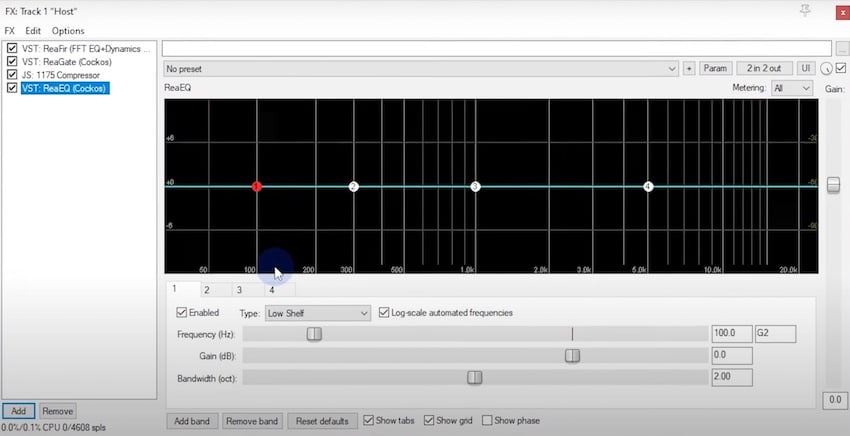


In this example, you'll learn how to:
- Add a high pass filter
- Boost, sweep, and cut
- Set a high shelf
11. Grouping Media Items
In this lesson, you'll learn all about grouping media items. This is super important to understand and use, especially when creating a podcast. The ability to group items will help to ensure your audio tracks remain in sync all throughout the rest of the editing process. When you have multiple speakers on your podcast -- and some well-timed background music -- this is critical for the flow of the project.
12. Editing Intro and Outro Music
To give your podcast professional production quality, you'll need to add music at some point. And since the music and talking are likely to have been recorded under way different circumstances, they might not sound like they fit together perfectly at first.
However, you can use volume automation to mix the music against the dialogue, and that's what you'll explore here.
13. Ripple Editing
In an earlier lesson, you got a sense of how to split media items, trim them, and drag tracks around. However, editing in this way can make it so your tracks fall out of alignment. That's why ripple editing is a great feature to get acquainted with. Ripple editing will automatically move items that are to the right of your edit point to the left to fill in a gap whenever you move or delete a media item.
14. Volume Automation for Dialogue
In this next lesson, you'll learn how to use volume automation on your dialogue tracks to save time to create a more consistent output.

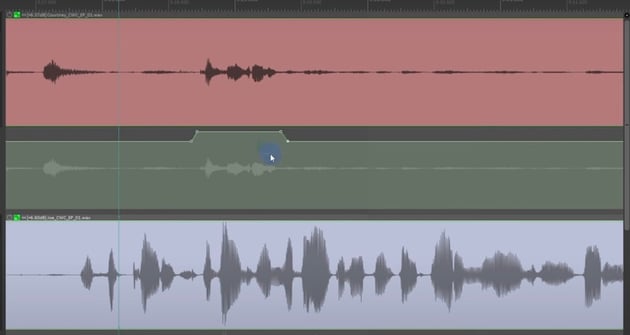
Just a SHIFT + Click will allow you to select sections within the media track for quick volume adjustments.
15. Rendering
Once you're done editing, you'll need to render your project. There are tons of options available to you here, but you only need to make use of a few to complete your render.
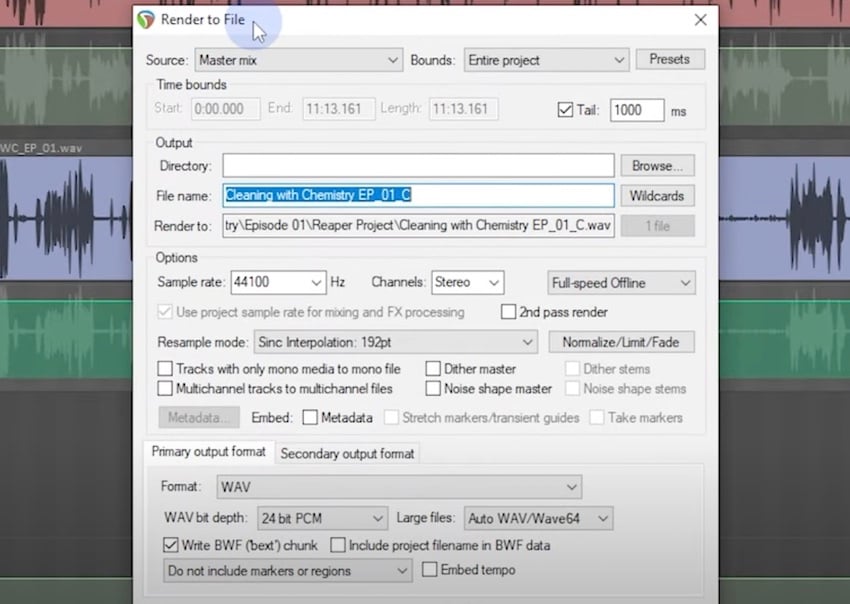
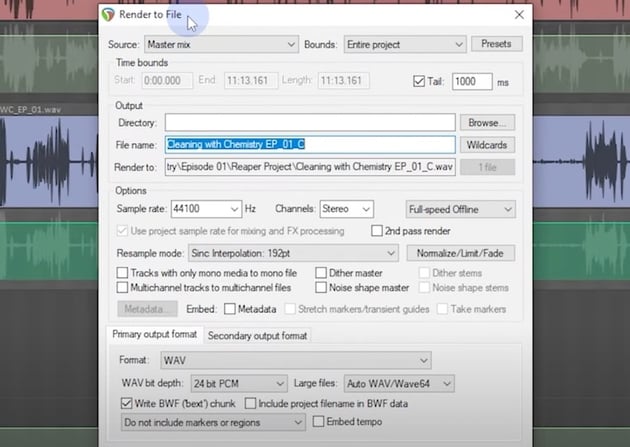
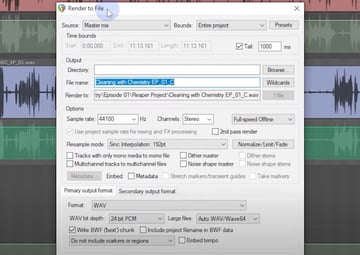
For this lesson, you'll be using the following fields:
- Source
- Bounds
- Tail
- Output
- File name
- Sample rate
- Channels
- Normalize
- Metadata
- Primary output format
- Bitrate
16. Project Template
Here, you'll learn how to create a project template. Once you've created your first podcast episode in Reaper, it's going to be a lot faster to create the next one (and each subsequent one after that) if you create a project template that automatically loads up the settings you prefer at the start of your project. This stands to save you a ton of time on all future podcast episodes.
17. Conclusion
And there you have it! If you made it to the end of this course -- you should be proud! This course covered a lot and by completing the entire thing, you're well on your way toward producing your very own podcast -- from start to finish.
Hungry to learn more about Reaper, podcasting, or recording audio in general? We've got you covered. Here are several tutorials you can jump right into, follow along, and build your skill set with.
Learn More About Audio Production
Want to learn more about audio production? Here are a few videos you'll love: